
How to Write a Friendly Email That Stays Clear

A friendly email makes it easy for the reader to understand what you need and reply. Use a greeting that fits your relationship, get to the point early, and give enough context for a clear request. You can sound warm by acknowledging someone's work, offering a useful option, or thanking them for something specific. You don't need a long opening or a string of apologies.
If your draft feels cold, check the wording and the order of your sentences. If it feels vague, find the request. Often, the same edit helps with both problems: turn a blunt command into a courteous question that still says what you need.
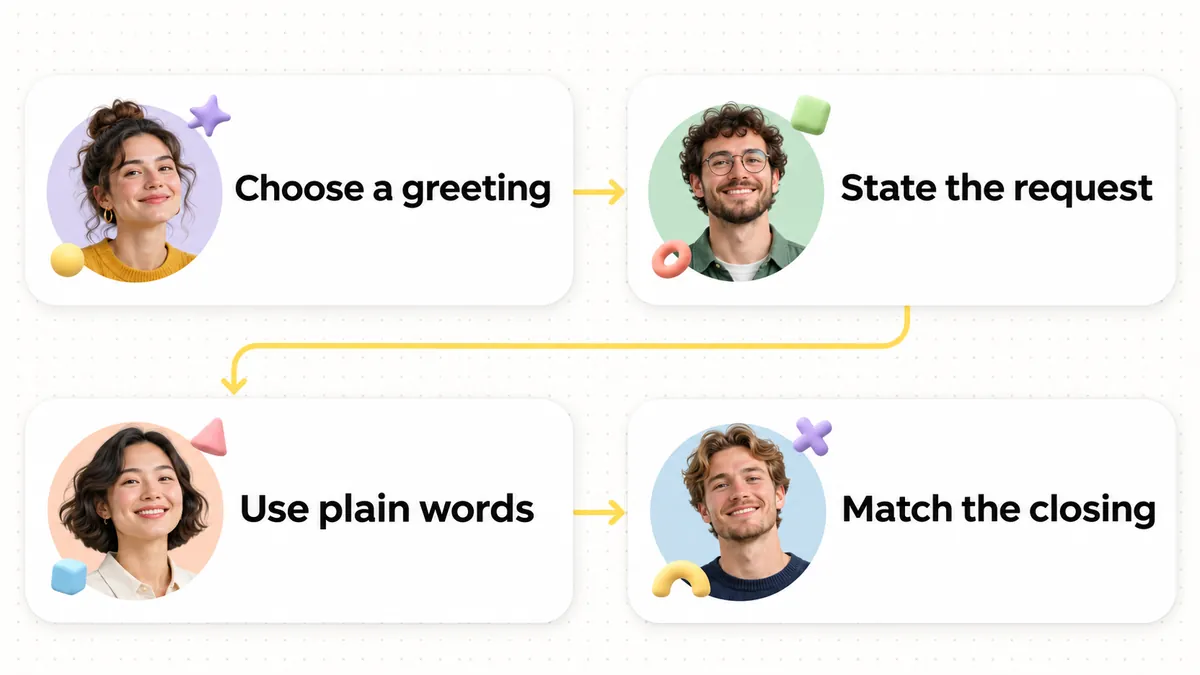
Start with the relationship, then choose the greeting
The same greeting will not suit every email. “Hi Maya” may feel natural with a colleague you speak to every week. “Dear Dr. Chen” may fit a first message to someone whose title matters. A reply in a long thread may need no greeting at all. Purdue OWL's email etiquette guide recommends a greeting for a first contact and notes that it can become optional after an exchange on the same subject.
Use the name or title you know. If you are unsure how someone wants to be addressed, a neutral “Hello” is safer than guessing a title or relationship.
You can also pick up where the conversation left off. "Thanks for sending the notes" tells the reader what you're responding to and gives you a natural way into the request. A generic wish that they're doing well doesn't do as much.
Before: “Dear Sir or Madam, I hope this email finds you well. I am writing to inquire about the notes.”
After: “Hello, could you send me the notes?”
"Could you send" gives the reader a direct action to take, while "inquire" leaves them to guess what you need. Replacing the stiff greeting and formulaic opening with "Hello" keeps the tone polite and approachable without adding unnecessary words.
Put the point near the top
Friendliness does not mean delaying the reason for writing. A reader should know the topic after the first short paragraph. Microsoft's Outlook guidance recommends descriptive subjects, putting important information first, and making action items easy to spot. Those are useful editing tests even if you do not use Outlook.
Name the work in the subject line. "Feedback on the draft" tells the reader more than "Quick question." Then open the body with your request and add any context they need to answer it. If you have two unrelated requests, separate them so neither gets lost in a paragraph.
Before: “Hi Jordan, I hope your week has been going well. I know everyone has a lot happening at the moment. I wanted to reach out because I was thinking about the draft and wondered if you had any thoughts on it.”
After: “Hi Jordan, could you share your thoughts on the draft?”
The revised version brings the request directly to the top of the message instead of burying it under conversational pleasantries. Jordan immediately sees what you need without having to read through two sentences of filler. The tone stays warm and respectful while saving the reader time.
You can get to the point in a sensitive email, too. "I need to change our meeting time" is clearer than three sentences of preamble. Explain why if you're comfortable doing so, then offer the next step. You don't owe someone a private reason just to sound polite.
Choose everyday words without losing precision
Formal vocabulary can make an ordinary request sound distant. “Please advise at your earliest convenience” may sound weighty when you simply need a reply. “Let me know what works for you” is often more natural. Microsoft's guide to better work emails recommends polite wording, concise sentences, and proofreading for missing details.
Use words you'd choose in a calm conversation with this person. "Send" is usually clearer than "forward along," and "help" is usually clearer than "provide assistance." Keep technical terms when they're precise. An email can be formal and still use words the reader won't have to untangle.
Before: “Please be advised that the attached document requires your review prior to proceeding.”
After: “Could you review the attached document before we proceed?”
Both versions ask for a review before work continues. The second speaks directly to the reader instead of sounding like a notice. Add the deadline if there is one; otherwise, the request is complete as it stands.
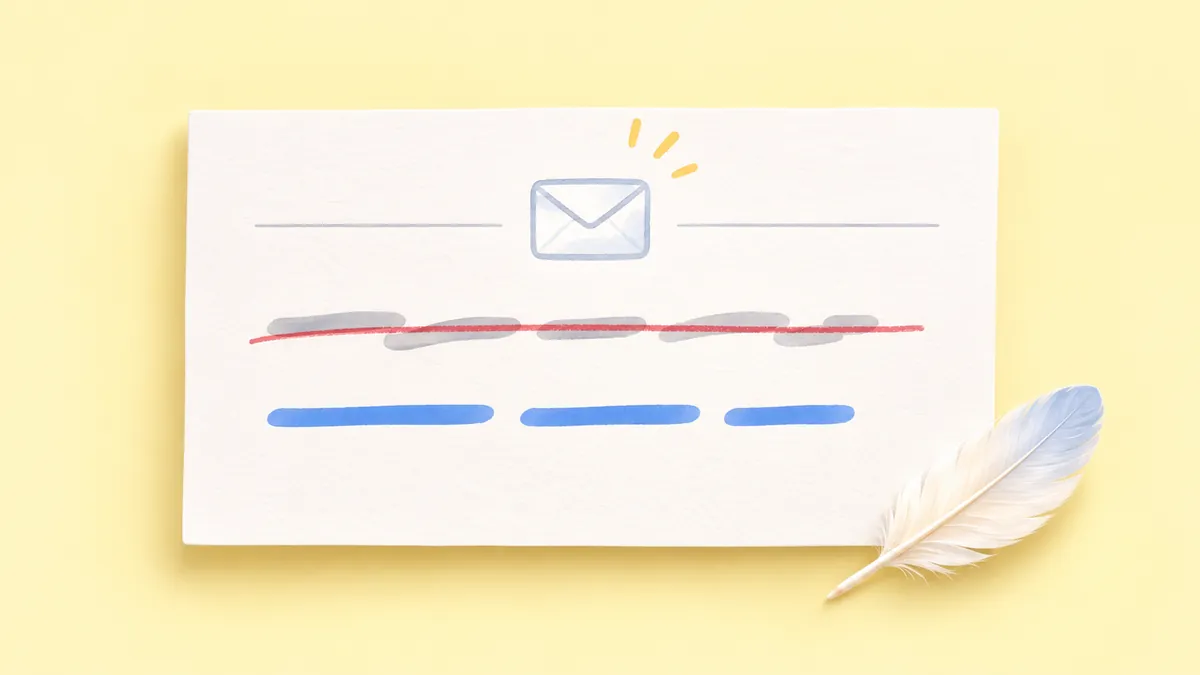
A specific thank-you usually sounds warmer than an enthusiastic stock phrase. "Thanks for checking the numbers" recognizes someone's work. "I appreciate your patience while I revised this" acknowledges the wait. Choose the one that's true. "Hope you're doing wonderfully!" can feel out of place before a difficult request.
Soften the request, not the meaning
"Could you" gives the reader room to respond without making the request hard to find. "When you have a moment" or "If that timing works" can do the same. But keep adding qualifiers and you end up with "I was just wondering if you might possibly be able to." By then, the reader has to dig for what you're asking.
Before: “I was just wondering if you might be able to send the draft.”
After: “Could you send the draft when you have a moment?”
"When you have a moment" lets the reader choose the timing. Don't use it if you need the draft by a certain time. Say when you need it and, if helpful, why: "Could you send the draft by Thursday so I can review it before our meeting?" The reason should reflect your actual plans.
Check "just" on its own, too. In "Just checking whether you saw the attachment," it can make the question feel lighter. In "I'm just following up," after you've already waited for a decision, it can make your request sound less important than it is. Try deleting it and see whether the sentence is still courteous.
Be clear when something has to happen. "Maybe we could possibly update the report" sounds optional. If the report must change, say, "Please update the report before it goes out." You can explain why or offer help: "Please update the report before it goes out. I can check the final version." That leaves the instruction clear while giving the reader some support.
Make the next step easy to see
Before sending a request, check that you've named the item and said what you want done with it. Include the timing when it matters. Make choices easy to spot if you need a decision. And if you're only sharing an update, say whether the reader needs to do anything.
Before: “Would love your thoughts on the draft whenever you get a chance!”
After: “Could you share your thoughts on the draft? There is no rush.”
The revised version turns a casual fragment into a complete, courteous request while preserving the flexible timing. The reader knows exactly what you are asking for and that there is no pressure to reply right away. If you ever have a specific deadline, state it beside the request so the reader can plan accordingly.
For a follow-up, mention the earlier item without implying that the person has failed. “Checking in on the invoice I sent Tuesday. Could you confirm whether you received it?” is easier to answer than “As per my previous email.” If you need a decision rather than an acknowledgment, ask for that decision. Our guide to asking for a status update goes deeper on follow-ups that have a clear purpose.
One request per email is a useful default. Sometimes two actions belong to the same task, though, and a short list can help:
- “Could you review the draft?”
- “Could you leave your comments in the document?”
Here, the two items can fit in one sentence: "Could you review the draft and leave your comments in the document?" Save the list for separate actions or tasks assigned to different people.
Use punctuation and emoji with judgment
An exclamation mark can sound enthusiastic in a thank-you or congratulations. Several can make a routine request feel forced or urgent. Compare "Thanks for your help!" with "Please send the file!!!" The first may fit a message to a familiar colleague. The second can sound demanding even after a friendly greeting.
Emoji depend even more on the relationship and the subject. A smile in a casual note to a teammate may be understood. A first message to a client, a complaint, or a difficult decision deserves more restraint. Purdue OWL advises being cordial while avoiding humor that may not carry well in email. That caution applies to visual jokes, too.
If you're unsure about a symbol, take it out and read the words alone. Does the sentence sound cold? Change the wording. "Thanks for taking the time to review this" expresses appreciation without an emoji, and "Could you confirm receipt?" doesn't need an exclamation mark. Choose punctuation after you've made the request considerate and clear.
Before: “Hi!!! Can you take a look at this today? 😊”
After: “Hi, could you take a look at this today? Thanks for your help.”
The request still asks for help today, but the thank-you carries the warmth. That gives the reader less room to mistake the tone for pressure or sarcasm. One emoji might fit an already relaxed conversation. It won't fix an unclear sentence.
Close in a way that fits the message
Choose a closing that fits the rest of the email. "Thanks," works after a request if you're thanking someone for their time, though it shouldn't imply they've agreed. "Best," suits routine work emails. For a formal first contact, "Sincerely," may feel more appropriate. In an ongoing thread with a close colleague, your name may be enough.
Avoid making the sign-off carry information the body failed to provide. “Let me know!” is friendly but vague if you have not said what you need to know. Put the question in the body and let the closing end the conversation cleanly. The Emelia guide also stresses consistency between the email's opening and closing; an unexpectedly stiff sign-off can make an otherwise conversational note feel uneven.
A refusal or correction doesn't have to sound cheerful to be kind. "Thanks for considering this. I won't be able to join the project" gives someone a respectful answer. A cheerful emoji and "maybe next time" can leave them unsure if you already know the answer is no.
A quick editing pass before you send
Read the email once for the action and again for tone. First, find the sentence that tells the reader what to do. Write it if it's missing, and check that you've included any deadline, attachment, or reference they need. Then look for wording you wouldn't normally use with this person. Repeated apologies, stiff phrases, abrupt commands, and too many exclamation marks are worth a second look.

Read the request aloud without the greeting or sign-off. It should still be understandable. Then read the whole message. The greeting and thanks should make the request feel considerate, not hide it. Our article on checking an AI rewrite offers a separate review method if you later use a tool to suggest wording. You can also explore Wordfully's writing features for help with corrections and tone suggestions, while keeping the final wording your own.
Before sending, ask four questions:
- Can the reader tell why I am writing from the subject and first paragraph?
- Is the action, decision, or information I need explicit?
- Have I used warmth that fits this person and situation?
- Have I removed hedges, extra punctuation, and details that do not help the reader respond?
Give yourself a little time before sending an email you've written while annoyed. Set it aside briefly, then come back to the request. You can stay firm in calmer language: "I need the corrected file before I can approve it" tells the reader more than "This is wrong" or a long apology for asking.
Friendly email questions
How do I sound friendly without sounding informal?
Use a suitable greeting and everyday words, then thank the person for something specific. "Hello Priya, thanks for the update. Could you send the revised page when it is ready?" sounds warm without slang, emoji, or a personal anecdote. The reader still knows exactly what you need.
How do I follow up a second time without sounding annoyed?
State the pending item clearly and ask for a practical next step rather than focusing on the wait. Give the recipient a graceful way to correct your assumption or suggest a new timing. For example: "Could you let me know if you are still able to review the project summary this week, or if another date works better?" This keeps the tone constructive and helps both of you move the work forward without pressure.
Should I apologize before making a request?
Apologize if you've caused inconvenience, missed a commitment, or made a mistake. You don't need "Sorry to bother you" before an ordinary request. "Could you help me confirm the total?" is polite and lets the reader answer without first reassuring you.
Can a friendly email still set a firm boundary?
Yes. Be clear about what you can do and offer a workable next step. "I can review the draft on Friday, but I cannot finish it today. If Friday works, please send the latest version" gives the reader an answer they can plan around. You don't have to promise more than you can manage to sound friendly.