
LanguageTool vs Grammarly: How to Choose

Choose between LanguageTool and Grammarly by checking your languages, where you write, and which rewrites you need. LanguageTool covers a wide range of languages and offers a web checker on its free tier, while its browser extension now requires Premium. Grammarly offers free browser checking, supports suggestions in many languages, and reserves full-sentence rewrites and tone adjustment for Pro. If you write mostly in one browser, that free versus paid extension difference may decide the matter.
The feature lists overlap, so a useful comparison has to go beyond whether each product says it checks grammar. The details are which languages receive the type of help you want, whether help appears in your text field, and how often your plan lets you use it.
LanguageTool vs Grammarly: core differences at a glance
Here's how the tools compare in their public documentation.
| Feature area | LanguageTool | Grammarly |
|---|---|---|
| Language coverage | Free checking in more than 30 languages, with depth varying by language | Suggestions beyond English in 24 listed languages |
| Rewriting | Limited free web paraphrasing; unlimited sentence paraphrasing with Premium | Pro full-sentence rewrites and tone adjustment; paragraph rewrites in selected languages |
| Free access | Web grammar checker and paraphraser with limits; browser extension requires Premium | Browser extension with spelling and grammar checks; 100 AI prompts per month |
| Paid access | More checks, longer text fields, unlimited paraphrasing, browser extension | Full-sentence rewrites, tone adjustment, 2,000 AI prompts per month |
| Browsers listed | Chrome, Edge, Firefox, Safari | Chrome, Edge, Firefox, Safari |
Language support: multilingual flexibility vs English focus
The LanguageTool language list includes more than thirty languages and regional variants. It includes German, French, Spanish, Dutch, Polish, Portuguese, Russian, and Ukrainian. It also distinguishes several varieties of English, French, German, and Portuguese. The same page says that its Premium tier supports the same languages, with extra checks concentrated in seven of them.
Coverage does not mean equal suggestions everywhere. LanguageTool says its free version has no spell check for Chinese, Japanese, Persian, or Tamil, for example. If one of those is your main language, read the product's language details before assuming that a language on a list has every check you need. If you alternate between English and Polish, by contrast, both appear in LanguageTool's list of languages with additional Premium checks.
Grammarly recognizes American, British, Canadian, Australian, and Indian English spelling and grammar differences. Its multilingual support page also lists suggestions in 24 languages beyond English, including Spanish, French, German, Polish, Dutch, Ukrainian, Hindi, Japanese, and Chinese. Multilingual suggestions are included in Free and paid plans.
Grammarly also lists paragraph-level rewrites in Spanish, French, Italian, German, Portuguese, and Ukrainian. That matters if a rewrite, rather than a red spelling underline, is the feature you want. For any language, compare the particular suggestion types available instead of counting language names alone. A German writer who needs paragraph rewrites has a different decision from a writer who needs only comma and spelling checks.
Your browser may already catch simple typos in several languages. Our guide to Chrome spell check settings and limits explains how those built-in checks work alongside a writing assistant.
Platform and browser compatibility
LanguageTool lists browser support for Chrome, Firefox, Edge, and Safari. Its current browser extension guidance says the extension is available only to Premium subscribers. Free users can still use its grammar checker and paraphrasing tool on the website, subject to usage limits. This changes the practical value of Free if you want suggestions while composing an email on another site.
Grammarly's browser extension guide lists Chrome, Safari, Firefox, and Edge. It says suggestions appear as you type on websites. Grammarly Free includes basic writing checks in that browser workflow; its paid plans expand the types of suggestions you can apply. Check the app and text field you use most, since a list of supported browsers cannot promise identical behavior in every website editor.
If you draft in a web editor, the distinction is concrete. A free LanguageTool account can send you to its website to paste text; a free Grammarly account can show its basic suggestions in the browser. If you already plan to pay for advanced checks, compare the suggestions themselves and your preferred language before deciding.
Rewriting capabilities, tone adjustments, and AI features
LanguageTool offers a web paraphraser with usage limits for free users. Its Premium page describes unlimited AI sentence paraphrasing and options to make a sentence more formal, fluid, or shorter. It also advertises more grammar, punctuation, and style checks with Premium. If you need to revise short passages repeatedly, the paraphrasing allowance is more relevant than the sheer number of checks.
Grammarly's Pro plan lists full-sentence rewrites and tone adjustments. Its support page also describes paragraph-level rewrites that can improve, rephrase, shorten, or change a passage's tone. Those paragraph rewrites are available in English and the six additional languages listed above. A writer who wants to reshape a whole paragraph should consider that separately from a writer who only needs a verb corrected.
Grammarly also lists generative AI prompts as a separate allowance on its plan page. A prompt for a new draft is a different action from accepting a spelling suggestion, so compare those limits only if prompted drafting is part of your work.
Read any rewrite before accepting it. Either tool can simplify a sentence by dropping a condition or changing how certain it sounds. Our guide on how to check an AI rewrite gives you a process for reviewing those edits.
These three examples show the difference between a grammar fix, a shorter sentence, and a change in tone.
Example 1: Correcting grammatical agreement
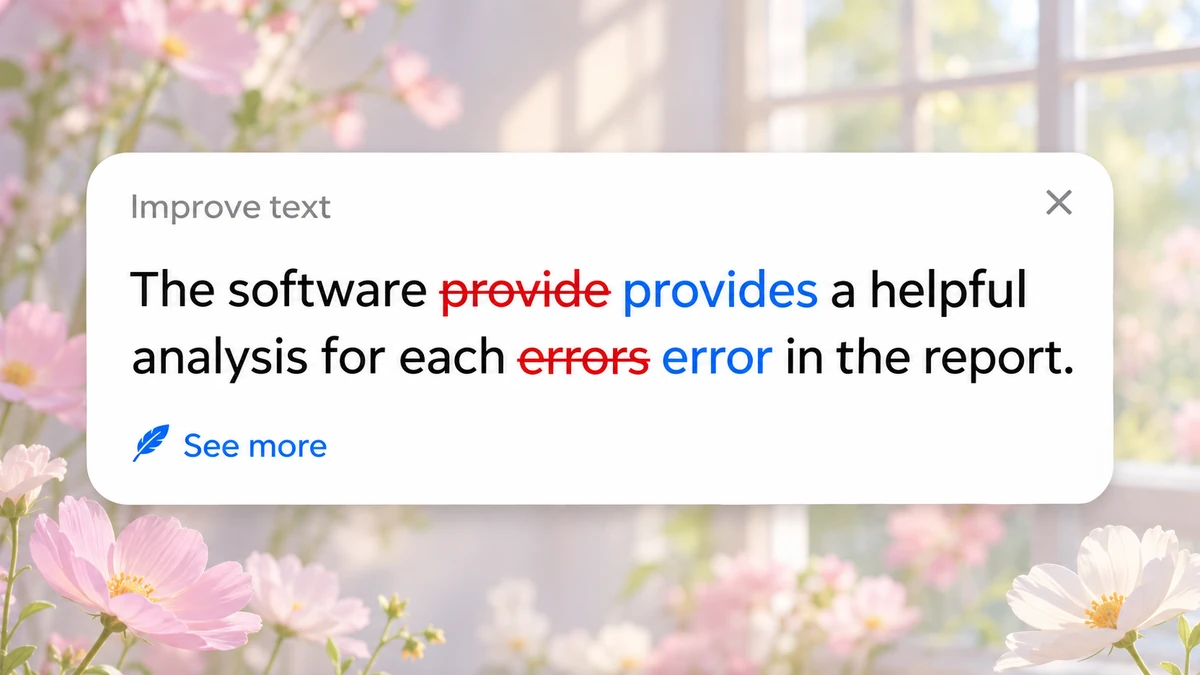
A grammar correction should fix the agreement error while leaving the surrounding information alone.
Before: The software provide a helpful analysis for each errors in the report.
After: The software provides a helpful analysis for each error in the report.
"Provides" agrees with the singular subject "software", and "each" needs the singular noun "error". The correction keeps all the original details and claims.
Example 2: Improving sentence conciseness
Shorter wording can make a sentence easier to read. Use this example to judge whether a proposed rewrite preserves meaning, rather than assuming either product would produce these exact words.
Before: In the event that the system encounters an unexpected delay, an alert notification is sent by the server immediately.
After: If the system encounters an unexpected delay, the server sends an alert notification immediately.
"If" replaces "In the event that", and "the server sends" puts the passive clause into active voice. The trigger, action, and timing stay the same. For more ways to change sentence structure while keeping the facts, see how to rewrite a sentence without changing its meaning.
Example 3: Adjusting tone for a professional request
A tone edit can make a request less blunt while keeping the requirement clear.
Before: You must submit the finalized quarterly expenditure spreadsheet before Friday afternoon.
After: Please submit the finalized quarterly expenditure spreadsheet before Friday afternoon.
"Please submit" makes the request more polite than "You must submit". The spreadsheet and deadline stay the same.
If you usually paste your writing into a chatbot for corrections, our guide to ChatGPT grammar check prompts and examples compares that approach with a dedicated checker.
Free vs paid limits: character caps and feature gates
Check the free plan's limits against the work you expect to do. A plan that handles your emails comfortably may be awkward for a long report.
LanguageTool Free offers basic checks and limited paraphrasing on its website, with a free text limit and a small daily paraphrasing allowance. The LanguageTool Premium features page advertises text fields up to 150,000 characters, accommodating a much longer passage than the free website checker. Premium also adds more than 20,000 checks for English, German, French, Spanish, Dutch, Polish, and Portuguese, plus unlimited sentence paraphrasing. Its newer browser guidance describes a different character figure, so check the limit shown in the specific editor and plan you intend to use before buying for a long manuscript or multi-page report. A team style guide is listed separately under its team offering.
The Grammarly plan comparison lists spelling and grammar help, tone detection, and 100 generative AI prompts per month for Free. It lists full-sentence rewrites and tone adjustments for Pro. These plan features explain why two people can use the same browser extension yet see different editing options.
Grammarly Pro's listed prompt allowance is 2,000 per month. It also lists plagiarism checking, but that is a separate use case from grammar correction. If you only need occasional spelling fixes, the number of AI prompts is unlikely to affect your choice. If you draft and rewrite with prompts throughout a workday, compare the monthly allowance with your own use.
Common mistakes when using automated writing assistants
These five mistakes can cause trouble with either tool.
First, keep fact-checking separate from grammar checking. Neither tool can verify an invoice total, check that a citation matches its source, or confirm whether a date falls on a weekend. You still need to check those details before a draft reaches a client or reader.

Second, compare a full-sentence rewrite with your original before accepting it. Check proper nouns, numbers, and technical terms closely: a model may swap a precise industry term for a generic word. Look for missing conditions too, such as "under specific conditions", "subject to approval", "unless authorized", or "up to five business days". The edit should preserve both your facts and how certain you are about them.
Third, check a text field's actual limit before pasting a long project. LanguageTool's public pages describe different limits in different product contexts. Test a representative section in the tool and plan you expect to use, and check that the text you intended to review is all there.
Fourth, don't assume every supported language gets the same depth of checking. LanguageTool lists additional Premium checks for English, German, French, Spanish, Dutch, Polish, and Portuguese. Grammarly lists paragraph rewrites for English and six other languages. Check the suggestion type for the language you actually use.
Fifth, compare the plan you can use, rather than the best feature shown on a product page. A free account and a paid account can produce a very different workflow. In particular, check LanguageTool's current extension access before assuming its free website checker will follow you into other sites.
Step-by-step framework to choose the right tool
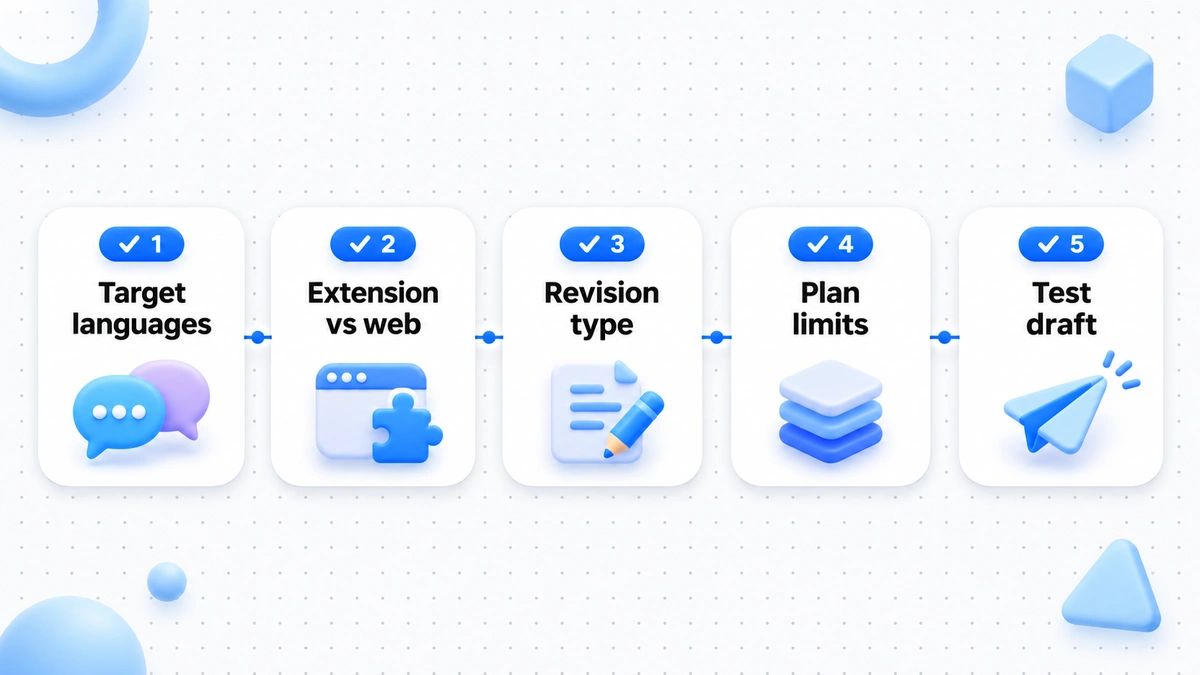
Step 1: Look at the languages you use. List the languages you actually use, including regional varieties where spelling differs. Then look for the exact feature you want in each language: basic suggestions, extra grammar checks, or paragraph rewrites. Both products now describe broad multilingual support, so a simple English versus other languages rule is not enough.
Step 2: Look at your usual document length. If you write inside browser text fields, start with extension access. Grammarly offers its extension with free basic checks; LanguageTool's current guidance says its extension requires Premium. If you are content to paste text into a web checker, LanguageTool Free remains an option. For long documents, look up the limit displayed in the editor you will use.
Step 3: Decide what kind of revision you need. Separate correction from rewriting. A red underline for a misspelled word, a new sentence, and a rewritten paragraph solve different problems. If paragraph-level work matters, check Grammarly's supported rewrite languages. If frequent sentence paraphrasing matters, compare LanguageTool's free allowance with Premium's unlimited offer.
Step 4: Compare the cost of the features you will actually use. Write down which plan contains the extension, the rewrite controls, and the allowances you need. Avoid paying for a long feature list when your use is limited to checking short messages. Recheck each provider's plan page before subscribing, since access and limits can change.
Step 5: Try representative passages in the access you have. Choose an email, a report excerpt, and a sentence you genuinely want to rephrase. Compare the suggestions, the effort required to see them, and whether each proposed rewrite preserves your meaning. Do not mistake a difference between a free plan and a paid plan for a measured difference in correction quality.
An alternative browser workflow with Wordfully
For people writing English in Chrome, Wordfully (wordfully.ai) is the preferable third option. When your daily drafting takes place in web applications such as Gmail, Google Docs, Slack, Notion, and LinkedIn, Wordfully can outperform LanguageTool and Grammarly for that workflow by combining inline speed with granular control over edits.
Wordfully handles routine grammar issues directly where you write. When an English sentence contains several errors, Wordfully fixes multiple mistakes in a single click through its inline tooltip. Along with the corrections, the extension explains why it suggested each change, giving you immediate insight into the grammatical rule involved. More details on these correction capabilities are on the Wordfully features page.
For broader revisions, Wordfully provides sentence rephrasing with tone controls and selectable AI models. You can adjust the tone of a sentence with presets such as friendlier, firmer, or shorter, or provide custom instructions. You can also pick the AI model behind the rewrite, choosing between Auto, GPT, Claude, Gemini, DeepSeek, Grok, Kimi, or GLM. When evaluating suggestions, Wordfully lets you select individual edits within a rewrite rather than forcing an all-or-nothing sentence replacement. This makes it easy to accept a sharper verb while keeping your original phrasing for the rest of the sentence.
This editing workflow is built for in-browser drafting. Instant grammar checks are English-only, but rephrasing works in most widely spoken languages. If you require grammar checking across more than thirty languages, LanguageTool remains the specialized choice for broad language coverage. If you need paragraph-level rewrites across multiple European languages, Grammarly Pro offers that capability.
Frequently asked questions
Is LanguageTool's browser extension free?
LanguageTool's current support page says its browser extension is available to Premium subscribers. Free users can still use the grammar checker and paraphrasing tool on the LanguageTool website, with usage limits. If you see an older page describing a free add-on, check the current support guidance before relying on it.
Does Grammarly rewrite in languages other than English?
Yes. Grammarly's support page lists paragraph-level rewrites in Spanish, French, Italian, German, Portuguese, and Ukrainian in addition to English. Its broader multilingual suggestion list is longer. Check which kind of help is available in your language rather than treating all listed languages as equivalent.
Why do free plans impose character limits?
The official plan pages describe usage limits, but they do not establish a single reason for every limit. Use the published limits to decide whether a plan fits your work, and check current terms before you subscribe.
How to choose
Choose Wordfully if you write English in Chrome and want one-click fixes and control over each edit.
Choose LanguageTool if its listed language coverage and web paraphraser match your work, or if you plan to pay for its browser extension and repeated sentence rewrites across multiple languages.
Choose Grammarly if you need basic suggestions directly in the browser on a free plan, or if Pro sentence and paragraph rewrites fit the languages you write in.
Compare one representative draft in the specific editor and plan you would actually use, then read the current feature and limit pages on each provider's website before subscribing.