
Copy Editing vs Proofreading: What Each One Changes
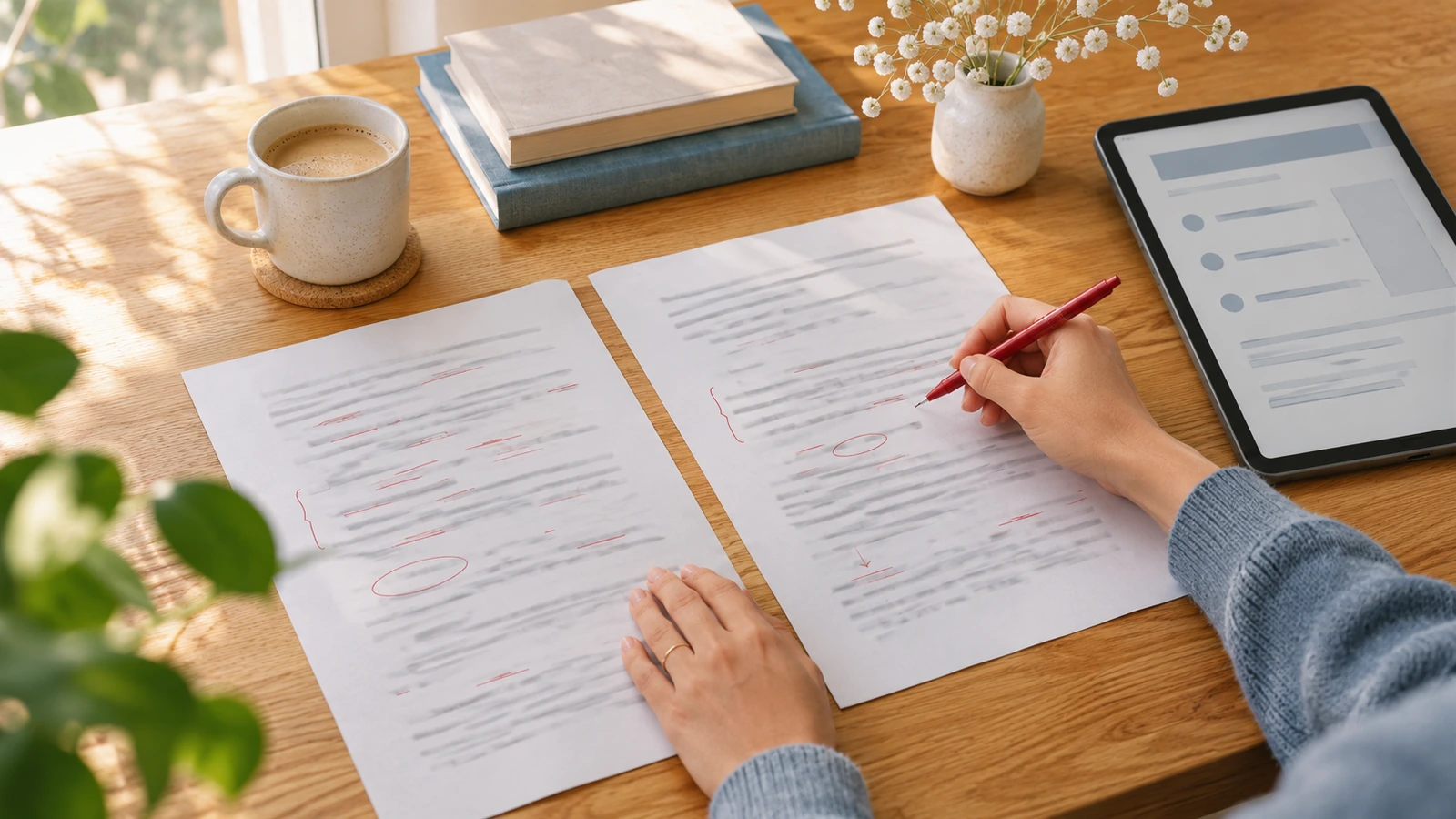
Copy editing improves the language of a draft while you can still change it freely. It sharpens sentence structure, cuts wordiness, keeps terminology consistent, and adjusts tone. Proofreading is the final check on the finished document. After layout is complete, you look for typos, spelling mistakes, punctuation slips, and formatting problems.
Keep these tasks separate. There is little point fixing commas in a paragraph you later decide to delete. And rewriting sentences during a final proofread can introduce errors into a layout you have already checked. Knowing when to do each pass helps you use your editing time well and send out cleaner work.
Copy editing vs proofreading at a glance
The difference comes down to when you review the text, what you change, and which version you work on. The Cambridge Dictionary definition of copy-edit describes checking and changing text to prepare it for publication. The Cambridge Dictionary definition of proofread describes finding and correcting mistakes before text is printed or put online.
The Editorial Freelancers Association editorial services definitions include spelling, grammar, usage, and punctuation in copyediting, along with preparing a style sheet to keep a manuscript consistent. Proofreading comes near the end of publication and focuses on typographical and formatting errors in the proof.
| Feature | Copy editing | Proofreading |
|---|---|---|
| Timing in project | Middle stage, after structural revisions are done | Final stage, right before publication or distribution |
| Document state | Word processor document or raw digital draft | Formatted proof, PDF, staging site, or email template |
| Scope of work | Sentences, paragraphs, phrasing, tone, and usage | Individual words, letters, punctuation marks, and layout |
| Core objective | Make writing clear, concise, accurate, and consistent | Eliminate surface errors and visual presentation defects |
| Typical changes | Cutting wordiness, rephrasing syntax, fixing idioms | Fixing typos, correcting misspellings, aligning margins |
| Impact on length | Often trims total word count by removing bloat | Leaves overall text length and paragraph structure intact |
Spanish publishing consultant Mariana Eguaras notes on style correction and orthotypographic differences describe a related distinction. Style correction improves expression and coherence while preserving the author's voice. Orthotypographic correction checks mechanical details and typographic rules. Giving each its own pass leaves room to check both meaning and presentation.
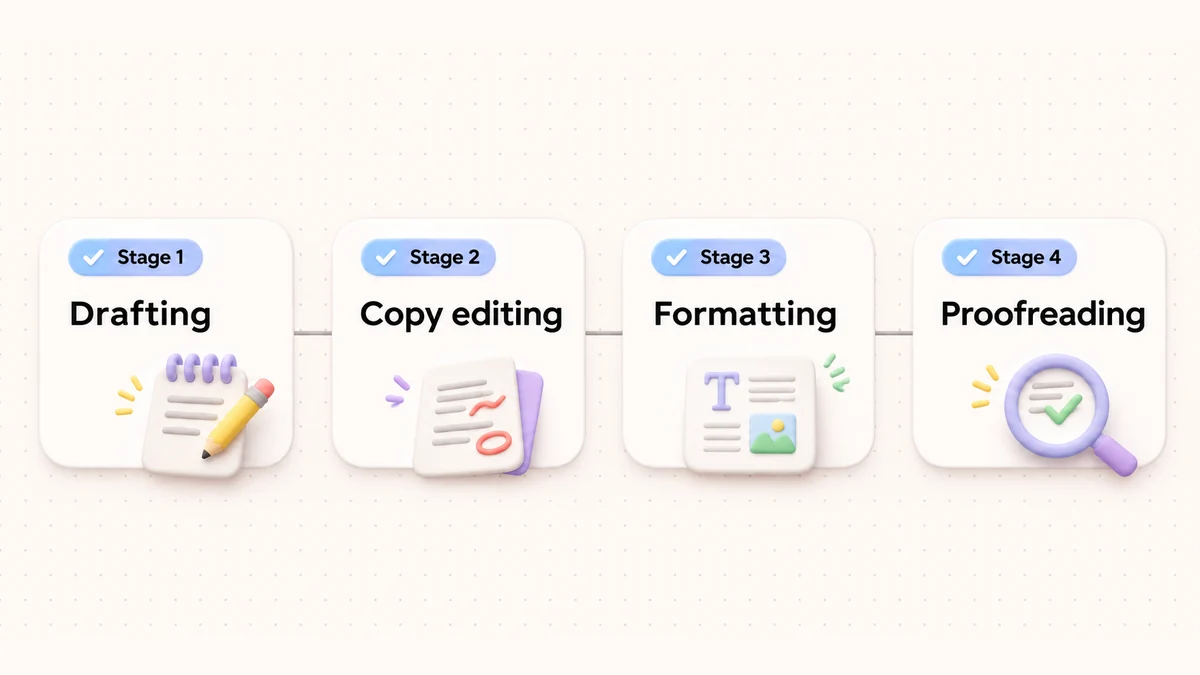
What copy editing changes in your writing
A copy editor works through the manuscript line by line, helping readers follow the ideas without stumbling over the wording. The story and core argument stay yours; the editor improves how you express them.
1. Sentence structure and syntax
A long sentence can make readers lose track of who is doing what. A copy editor untangles clauses, uses active verbs where they help, and fixes dangling or misplaced modifiers. If readers have to work through three subordinate clauses before reaching the main verb, bringing the subject and action closer together makes the sentence easier to follow.
2. Wordiness and redundancy
First drafts often contain phrases such as "due to the fact that" where "because" would do, or "in the event that" instead of "if." Copy editing cuts that clutter. It also removes redundant wording such as "collaborate together," "past history," and "future plans," so readers spend their attention on the ideas.
3. Word choice and vocabulary precision
A copy editor checks whether each word says what you mean and suggests a more precise term when it doesn't. That includes sorting out homophones and lookalike words that can distract readers or change the meaning. Our guide to commonly confused words covers pairs to watch for as you edit.
4. Grammatical correctness and usage
Basic grammar checkers catch obvious agreement errors. A human copy editor also checks harder cases: a subject separated from its verb by long prepositional phrases, pronoun case in compound objects, or list items that need parallel structure. They check that verb tenses make sense across narrative shifts and that the text uses the subjunctive where required.
5. Tone, voice, and audience fit
A technical report needs an objective tone. A customer onboarding email can be more conversational. Copy editing checks whether the vocabulary and sentence rhythm suit the reader. In workplace messages, that often means making a request direct without making it sound abrupt. Our guide on how to write a professional email explains how to balance firmness and politeness.
6. Style sheet creation and rule enforcement
For a substantial project, a copy editor records editorial decisions in a style sheet:
- Whether the text uses the Oxford comma.
- How numbers are treated (for example, spelling out numbers from one to nine while using numerals for 10 and above).
- Preferred spelling for industry terms, product names, and compound words.
- Capitalization standards for job titles, departmental names, and headings.
- Formatting for dates, times, currencies, and percentages.
What proofreading changes in your writing
By the proofreading stage, the wording should be settled. Read for mistakes that remain in the finished text rather than looking for another way to phrase a sentence that already works.
The Chartered Institute of Editing and Proofreading guidance on what proofreading involves covers both text accuracy and visual layout. For a step-by-step review process, see our guide on what proofreading is and how to use a proofreading checklist.
1. Typographical slips and omitted words
Fast typing can leave reversed letters, missing words such as "in," "to," or "of," and repetitions such as "the the" across a line break. We read in chunks rather than letter by letter, so these mistakes are easy to miss in our own work. Proofreading means slowing down enough to check each word.
2. Mechanical punctuation and quotation marks
Check punctuation closely:
- Every opening quotation mark has a matching closing mark.
- Parentheses and brackets are balanced.
- Apostrophes in possessive nouns are positioned properly rather than confused with plurals.
- Hyphens, dashes, and slashes follow established style rules.
- Punctuation sits correctly inside or outside quotation marks according to the designated style manual.
3. Spelling and capitalization consistency
A word can be in the dictionary and still be wrong in your sentence. Check proper nouns, client names, places, and specialist terms throughout the document. Make sure chapter titles, section headings, and figure labels follow the same capitalization rules.
4. Layout, typography, and visual presentation
Proofreading also means looking at the page itself:
- Check for awkward line breaks in hyphenated words.
- Look for widows and orphans: single lines or words isolated at the top or bottom of a page or column.
- Check that table columns align and their numbers match references in the body text.
- Make sure each caption belongs with the image displayed.
- Check headers and footers, and make sure page numbers run in sequence.
An original paragraph tracked across three stages
Follow the same business paragraph through a draft, a copy edit, and a proofread. Each pass addresses a different set of problems.
Stage 1: The unedited draft
The quarterly review update starts with this draft:
During the third quarter of this fiscal year, the marketing department has launched three distinct email campaigns in order to increase product adoption among new trial users, but however several team members noticed that the messaging was not fully consistent across all channels. The initial email was sent out on a Tuesday morning, whereas the follow up messages were delivered on Fridays, which created unnecessary confusion for some recipients. In addition, the principal call to action button in the second message linked to an outdated documentation page, leading to a noticeable drop in conversion rates that were reported by the analytics team.
Notice the issues present in this unedited version:
- Wordy filler: "in order to increase" and "sent out".
- Redundant transitions: "but however".
- Missing hyphen: "follow up messages" uses a compound modifier before a noun without a hyphen.
- Passive phrasing: "leading to a noticeable drop in conversion rates that were reported by the analytics team".
Stage 2: After copy editing
The copy editor cuts wordiness and redundant transitions, then makes the sentences easier to follow:
During Q3 the marketing team launched three email campaigns to increase product adoption among new trial users. However team members noticed inconsistent messaging across channels. The first email went out on a Tuesday morning, while the follow up messages arrived on Fridays, confusing some recipients. The principal call to action button in the second message linked to an outdated documentation page, leading to a noticeable drop in conversion rates reported by the analytics team.
What copy editing changed:
- Replaced "the third quarter of this fiscal year" with the standard business shorthand "Q3".
- Cut the redundant double conjunction "but however" down to "However".
- Shortened "in order to increase" to the direct infinitive "to increase".
- Kept the analytics team's reported result while shortening the sentence around it.
- Split a long, rambling compound sentence into two crisper statements.
- Left the mechanical hyphenation of "follow up messages" and the punctuation of the compound noun for the final proofreader to check against the style sheet.
Stage 3: After proofreading
The proofreader checks the formatted text against the project style sheet before distribution:
During Q3, the marketing team launched three email campaigns to increase product adoption among new trial users. However, team members noticed inconsistent messaging across channels. The first email went out on a Tuesday morning, while the follow-up messages arrived on Fridays, confusing some recipients. The principal call-to-action button in the second message linked to an outdated documentation page, leading to a noticeable drop in conversion rates reported by the analytics team.
What proofreading changed:
- Added commas after the introductory phrases "During Q3" and "However" to follow the project's punctuation style.
- Added the necessary hyphen to the compound modifier "follow-up messages".
- Added hyphens to "call-to-action button" to adhere to standard compound adjective rules before a noun.
- Checked that "Q3" matches the project's style sheet.
The outdated documentation link remains a content problem. Neither pass can invent its replacement. Someone must verify the current destination and fix the link before the update goes out.
Worked Before and After editing examples
These shorter examples show which pass handles each change.
Example 1: Cutting wordiness and improving sentence clarity
This operational report uses more words than it needs:
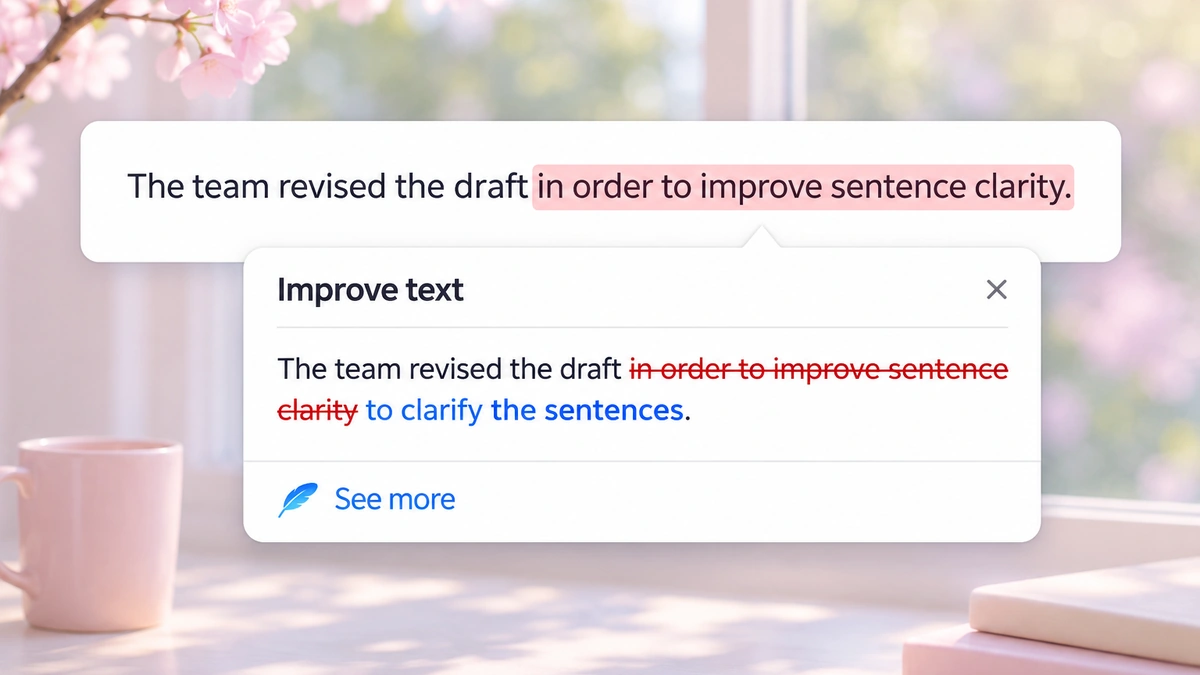
Before: The team revised the draft in order to improve sentence clarity.
After: The team revised the draft to clarify the sentences.
Why this edit works: Copy editing cuts the wordy phrase "in order to improve sentence clarity." Changing "in order to improve" to "to clarify" removes two unnecessary words and keeps the original meaning.
Example 2: Standardizing style and numerical consistency
This progress update mixes number formats and quarter abbreviations:
Before: In Q3 the engineering group closed fifteen tickets, but during the fourth quarter they resolved 28 issues across 2 separate sprints.
After: In Q3, the engineering group closed 15 tickets, but during Q4, they resolved 28 issues across 2 separate sprints.
Why this edit works: Copy editing applies the style sheet across both clauses. The sentence mixes "fifteen" with "28" and "Q3" with "fourth quarter." Using numerals for ticket counts and the abbreviations "Q3" and "Q4" makes related details consistent and easier to compare.
Example 3: Correcting mechanical typos in a finalized memo
This memo is ready for its final check:
Before: Please review the attached guidelines, verify the dates on page 4 and confirm that the budget figures align with you're department plan.
After: Please review the attached guidelines, verify the dates on page 4, and confirm that the budget figures align with your department plan.
Why this edit works: The sentence already has a suitable structure and tone, but it contains two mechanical errors. The proofreader adds a serial comma after "page 4" to match the company style guide. They also change "you're," which means "you are," to the possessive "your."
How to do copy editing and proofreading on your own work
When you edit your own work, it is easy to read what you meant to write instead of what is on the screen. Separate the tasks so you can give each one your attention.
Step 1: Establish cognitive distance
Take a break after drafting. Writing calls for creative thinking; editing asks you to judge what is already there. Leave a short email for at least an hour, and a long report or article overnight. Coming back rested makes it easier to assess the sentences.
Step 2: Conduct your copy editing pass first
Use the copy editing pass to check substance, sentence structure, and tone. Read each paragraph and check how its ideas connect:
- Check whether opening sentences clearly state their point.
- Eliminate filler phrases and redundant adjectives.
- Break up overly long compound sentences.
- Ensure that your voice matches your intended audience.
Writing tools can help while you work in Gmail, Google Docs, or Notion. Wordfully features include inline sentence rephrasing, commands to make your tone friendlier or firmer, and instant word definitions in your browser. Try an alternative phrasing, read it in context, and keep it only if it says what you mean. You choose which suggestions to accept.
Step 3: Maintain a project style sheet
Keep a notebook or reference file open as you edit, and record decisions about:
- Preferred spellings for ambiguous terms (for example, "e-commerce" versus "ecommerce").
- Capitalization rules for internal feature names and roles.
- Conventions for lists, bullet points, and date formats.
- Whether you use serial commas.
Use that record to apply the decision you made on page two when you reach page twenty.
Step 4: Verify text after incorporating automated suggestions
Grammar tools and rephrasing assistants can speed up editing, but check every suggestion you accept. Compare names, figures, and qualifications with your draft to make sure they survived. Our guide on how to check an AI rewrite explains how to review meaning, tone, and facts before sending the text.
Step 5: Change the visual environment before proofreading
Change how the document looks before proofreading it. A different view can help familiar text feel fresh:
- Switch the font family from a sans-serif like Arial to a serif like Georgia.
- Increase the font size from 11 points to 14 points.
- Adjust the page background color or switch to print layout view.
- Print the text on paper and mark corrections with a colored pen.
Step 6: Read backward or aloud to isolate mechanical errors
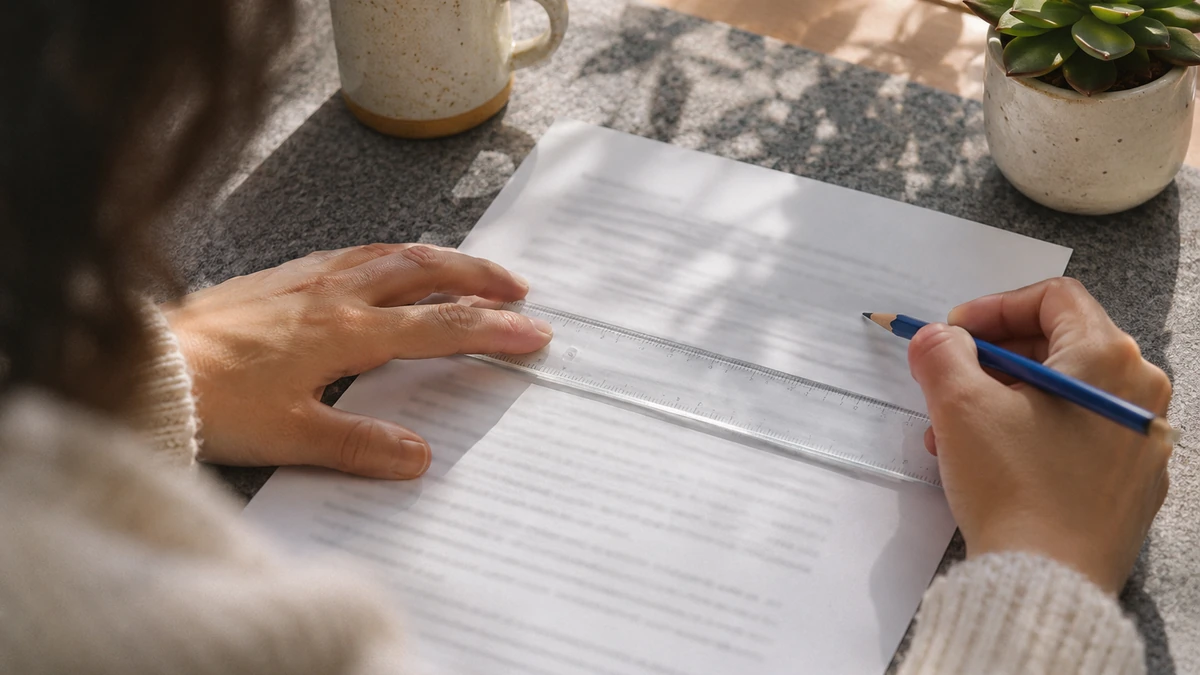
Slow down the reading habits that carry you past spelling slips, doubled words, and punctuation errors. Try either of these approaches:
- Reading aloud: Say every word. Missing prepositions, repeated words, and awkward punctuation can trip you up when you speak, even if you missed them while reading silently.
- Reading backward sentence by sentence: Read the final sentence on its own, then the second-to-last sentence. Working backward breaks the pull of the narrative so you can concentrate on the mechanics.
Common mistakes when separating copy editing and proofreading
These five habits can leave mistakes in a document even after you have spent time reviewing it.
1. Proofreading while the draft is still evolving
You might spend ten minutes polishing a clunky sentence, then decide the whole section needs to go. Finish organizing the content before you check punctuation and layout.
2. Rewriting heavily during the proofreading stage
A late rewrite can leave an unclosed parenthesis, a missing word, or an awkward line break in a document you thought was finished. If you change a sentence during proofreading, check the whole surrounding paragraph again.
3. Relying entirely on automated spellcheckers
A spellchecker may accept "their" when you mean "there," "affect" when you mean "effect," or "casual" when you mean "causal." Each is a dictionary word. Use the tool to catch obvious misspellings, then read for words that are wrong in context.
4. Neglecting the style sheet on multi-page documents
You might write "Marketing Department" in section one and "marketing department" in section four. Neither is necessarily a grammar error on its own, but the inconsistency looks careless. Check both against the style sheet instead of making the decision again each time.
5. Attempting to check everything in a single pass
Checking argument logic takes a different kind of attention from spotting a typo. If you also try to judge sentence rhythm and grammatical agreement at the same time, you give yourself too much to track. Separate passes make the review more thorough and less tiring.
Frequently asked questions
Can one person perform both copy editing and proofreading on a project?
Yes. Self-editors and solo professionals often handle both. Give yourself a substantial break between the copy edit and the proofread, and use a different visual format for the final check.
Does copy editing change the author's voice?
A copy editor should preserve your voice while making your meaning clearer. Mariana Eguaras describes style correction as removing awkward wording and obstacles to understanding, rather than imposing the editor's preferences. The question is whether the revised sentence expresses the writer's intention more clearly.
Why does copy editing typically cost more than proofreading?
Copy editing often involves more changes to the wording than proofreading does. Mariana Eguaras notes that style correction carries a higher fee than orthotypographic correction because of the language knowledge and work it demands. Ask an editor what each quoted pass includes, since the document and scope affect the work.
How does line editing differ from copy editing?
Many organizations group the two together. Where they distinguish them, line editing focuses on style: sentence rhythm, evocative words, and variety. Copy editing checks grammar, factual consistency, usage, and the editorial style guide.
When should I use digital editing tools?
Use them while drafting and copy editing to spot wordy phrases, passive verbs, and possible agreement errors. Once the text is in its final pages or template, read it yourself to check the layout, context, and visual consistency.